Be at the bar, not the spreadsheet
Running a golf outing means days of building scorecards and a night of tallying games and points by hand. Set the whole event up once, let players score on their phones, and have every game, pool, contest and award counted by the time the last group walks in.
- Built for events of 20 to 144 golfers
- A different format for each flight, one leaderboard
- Works offline on the course; players install nothing
Tell us about your outing
We reply by email. We do not send anything automatically, and you can ask us to delete your details at any time.
The day before the day is the hard part
Days of cards
Building scorecards for sixty golfers, marking strokes by hand, printing, cutting and sorting them into groups.
A night of arithmetic
Flights, skins, closest to the pin, a team board and two days of points, all from the same stack of cards, with the same person checking the addition.
Questions all afternoon
Who is winning? Did my team pay? How does the handicap work? You answer instead of playing, and the 19th hole is a spreadsheet.
The promise: enter each score once and every game, pool, contest, points system and award is counted for you. Hole19Tally is a scorekeeper. It records scores, works out strokes and shows who owes whom, but it never holds, moves or takes a share of money, and it is not a gambling service. Players settle up directly with each other.
The day, in the order you meet it
From the first roster import to the awards dinner.
Set up once, on a computer or tablet
Import the roster, make teams and flights, give each flight its format and build the points for your own outing. It saves as you go.
- Roster import from CSV or Excel
- A different format for each flight
- Your own points rules
- Everyone-plays-with-everyone pairings
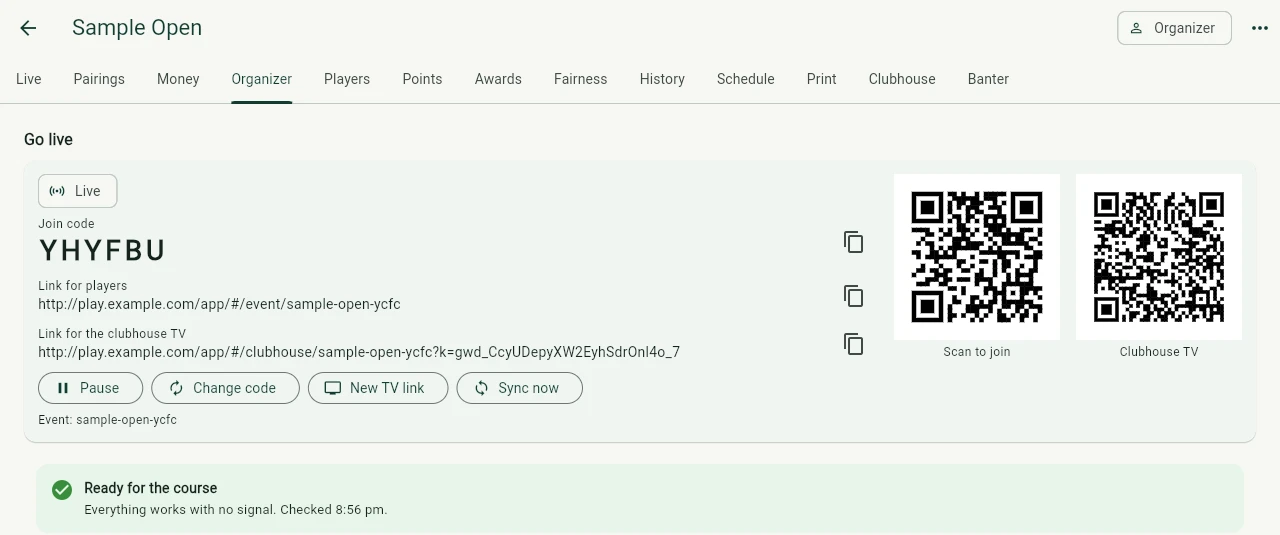
Go live with a code and a QR
Publish the event and share the join code. Players open it in the browser, pick their name and they are in.
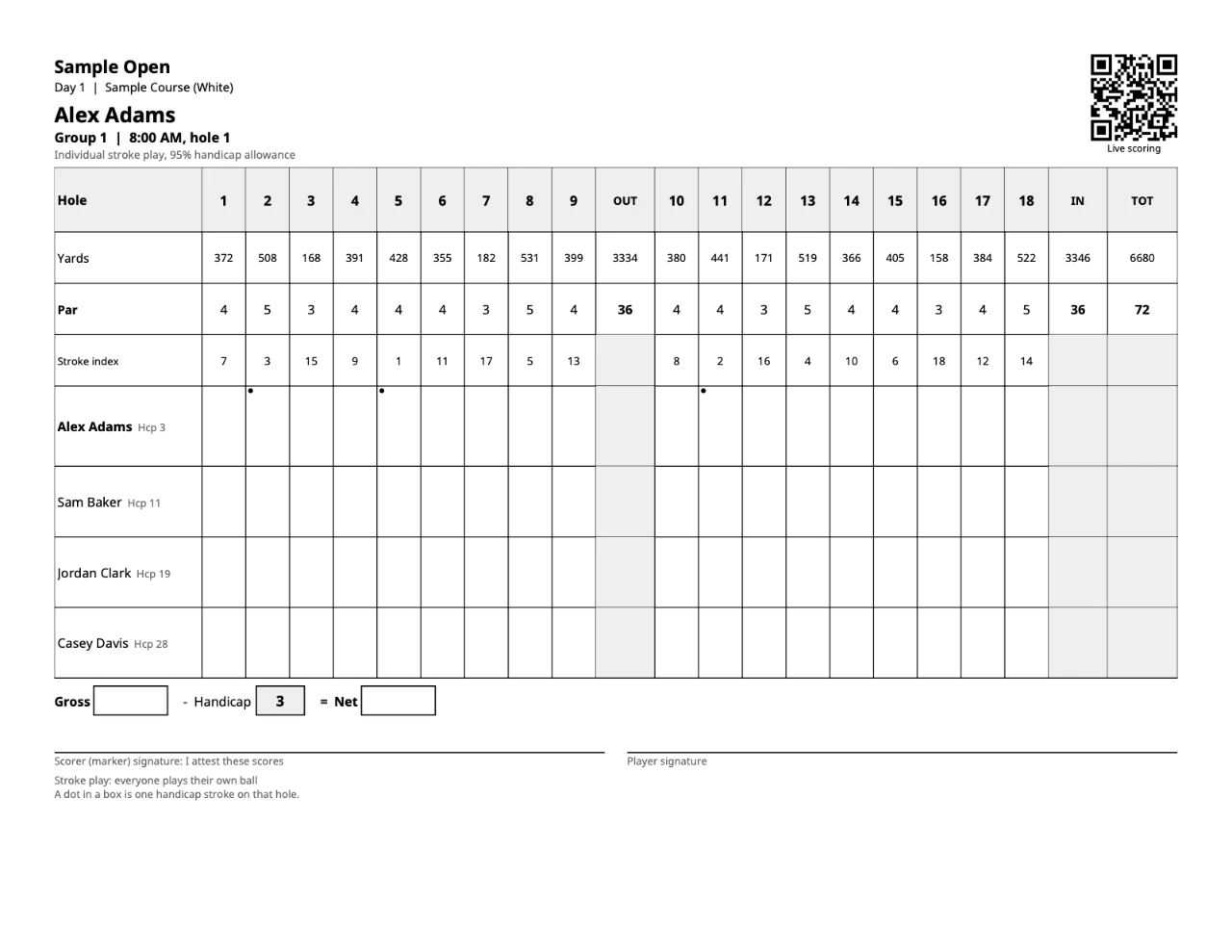
Print the cards
Scorecards with each player's strokes marked and a QR code that opens live scoring, plus tee sheets and pairing sheets.
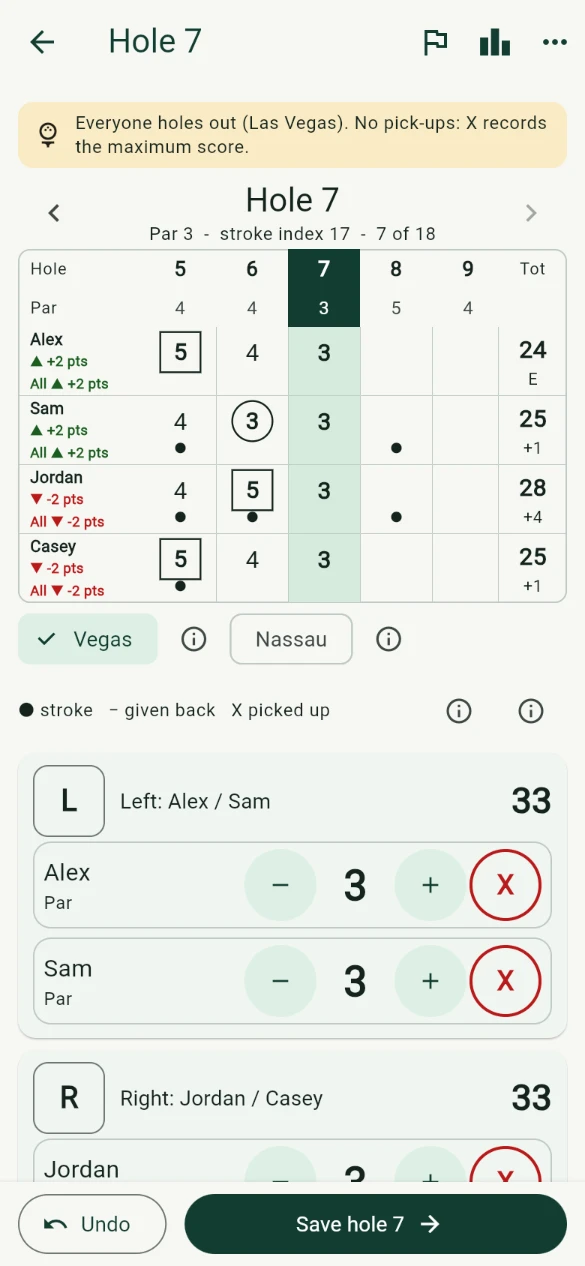
Players score on their phones
Each player enters their own scores on a card that looks like the one in their pocket. Scores keep saving with no signal.
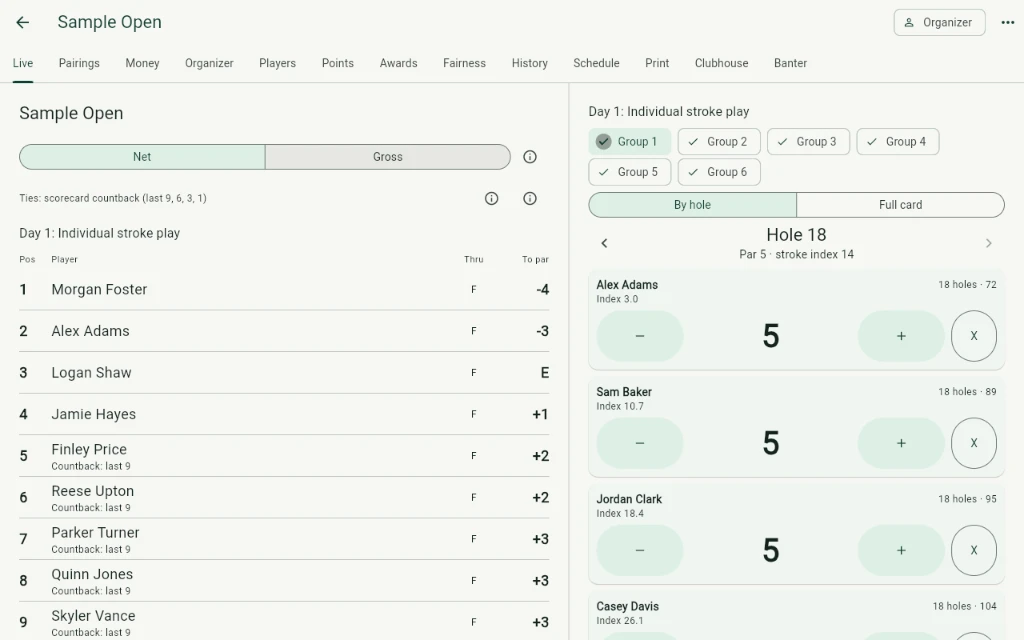
Watch a live board nobody can peek at
Players see other scores only through the holes they have entered, and the server enforces it. You see everything, as it happens.
Put it on the clubhouse TV
An auto-scrolling leaderboard for a TV or projector, and a reveal mode that counts down the awards dinner.
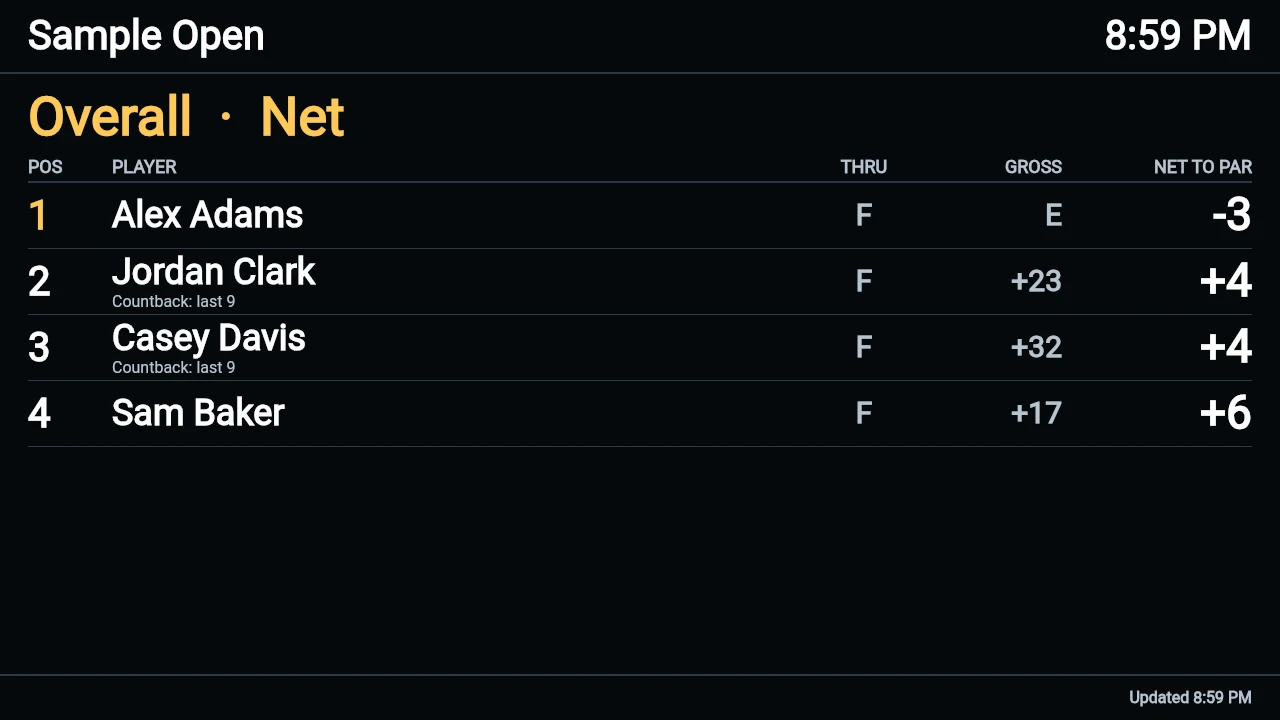
Awards, then settle up
Awards come from the same scores, with a recap to share. Settle-up is one statement per player using the fewest payments. Players pay each other directly; the app never touches money.
Eight jobs the app takes over
Weighing a spreadsheet or paper cards? Read the fair comparisons: spreadsheet vs app and paper scorecard vs app.
Your rules, one leaderboard
Flights that play different formats cannot be compared by score. Points by place can. Build the points the way your outing does it and watch the board follow.
- Points per place, per day, per contest and per team
- Ties share the average of the places they occupy
- The same table runs the real leaderboard
Try the points builder
Two flights play different formats, so their scores cannot be compared directly. Points by place can. Change the points and the leaderboard follows. Sample teams; nothing is stored or sent.
Good flight
| Team | Net | Place | Points |
|---|---|---|---|
| Divots | 66 | 1 | 10 |
| Mulligans | 68 | T2 | 6 |
| Fairways | 68 | T2 | 6 |
| Hackers | 72 | 4 | 3 |
Ugly flight
| Team | Net | Place | Points |
|---|---|---|---|
| Gimmes | 57 | 1 | 10 |
| Sandies | 59 | T2 | 6 |
| Skulls | 59 | T2 | 6 |
| Mudders | 62 | 4 | 3 |
One leaderboard for the whole field
| Place | Team | Flight | Points |
|---|---|---|---|
| T1 | Divots | Good | 10 |
| T1 | Gimmes | Ugly | 10 |
| 3 | Sandies | Ugly | 9 |
| T4 | Fairways | Good | 6 |
| T4 | Mulligans | Good | 6 |
| T4 | Skulls | Ugly | 6 |
| T7 | Hackers | Good | 3 |
| T7 | Mudders | Ugly | 3 |
Sandies won closest to the pin. Teams that tie for a place share the average of the places they occupy.
One entry, everything counted
The parts of an outing that usually mean a second spreadsheet.
One entry tallies everything
Every game, pool, contest, points system and award updates from the same scores, with one clear statement per player.
Your own points rules
Build the points your outing uses, including bonus points and team boards.
A format for each flight
A shamble flight and a scramble flight in one event, each scored by its own rules.
A board nobody can peek at
Players see other scores only through the holes they have entered. The server enforces it.
Cup mode and rotating pairings
Captains, teams and sessions with a running cup score, plus everyone-plays-with-everyone rotations.
Year two takes minutes
Copy last year's event, carry the roster over and keep past champions and records.
Set up, run the day, wrap up
Set up
Roster import from CSV or Excel
Paste or load the list you already have. Names, handicaps and teams come in without retyping.
Team events with flights and pools
Set up teams, split the field into flights and run pools, all in one event.
A different format for each flight
One flight can play a shamble while another plays a scramble, each scored by its own rules.
Points builder for your own outing rules
Set your own points per place, per day, per contest and per team, with bonus points.
Smart pairings
Everyone-plays-with-everyone rotations, balanced teams and keep-together requests.
Cup mode
Captains, drafts, teams, four-ball, foursomes and singles sessions with a running cup score.
Run the day
Live scoring on players' phones
Players join with a code and enter their own scores. The leaderboard shows another player's scores only through the holes the viewer has entered, and the server enforces that.
Printed scorecards and tee sheets
Scorecards with each player's strokes marked and a QR code that opens live scoring, plus tee sheets and pairing sheets.
Clubhouse screen
An auto-scrolling leaderboard for a TV or projector, with a reveal mode for the awards dinner.
Announcements and schedule
Tee times, weather notes and reminders sent to the whole field.
In-event banter
A chat for the whole field and direct messages, with moderation for the organizer.
Fairness tools
Sandbagger flags, net double bogey caps and a handicap review after day one.
Wrap up
One-entry tally with a settle-up per player
Every game, pool, contest and award updates from the same scores, with one clear statement per player.
Awards and recap
Automatic awards and a shareable recap of the day.
Settle-up messages
A ready message with the right amount for each person to send to the one they owe. People pay each other directly.
Annual outing memory
Copy last year's event, carry the roster over, and keep past champions and records.
From eight weeks out to the day after
One way to run it. Adjust to your own calendar.
- Eight weeks outPick the date, the course and the formats. Open the event, import last year's roster or the sign-up list, and decide how many flights you need.
- Four weeks outMake teams and flights, set the points rules and preview the pairings. Fix the handicap questions now, not on the first tee.
- One week outPublish the event and share the join code or QR. Send tee times and reminders to the whole field from one place.
- The day beforePrint scorecards, tee sheets and pairing sheets. Put the clubhouse screen on a TV once to see that it works.
- The dayPlayers check in and score on their phones. Watch the board, and settle a disputed card in one place.
- The dinnerPut the clubhouse screen on, reveal the awards and share the recap.
- The next daySend the settle-up statements, then copy the event as the starting point for next year.
Want the checklist on paper? Use the outing planner or print the day-of checklist.
Questions organizers ask
What does it cost?
Everything is free while the app is in testing. Plans are described on the pricing page, and prices are listed there at launch. Organizers are planned to pay once per event, sized to the number of players.
Do players have to install anything?
No. Players join from a browser with the code or QR you give them and enter their own scores.
What if there is no signal on the course?
Scores keep saving on the phone and sync when it reconnects, so a dead spot does not lose a hole. You can also set up and print before the day with no connection at the course at all.
Can I bring in the roster I already have?
Yes. Import a roster from a CSV or Excel file with names, handicaps and teams, or copy last year's event and carry the roster over.
Can each flight play a different format?
Yes. One flight can play a shamble and another a scramble, and each is scored by its own rules. A points table puts them on one leaderboard.
Can I use my own points rules?
Yes. The points builder lets you set points per place, per day, per contest and per team, with bonus points, so the app never has to say it does not support your event.
What can players see on the live leaderboard?
A player sees other players' scores only through the holes they have entered themselves. The server enforces this, and the organizer sees everything.
Does it collect entry fees or pay out prizes?
No. The app never holds, moves or takes a share of money. You collect entry fees and pay prizes the way you do today; settle-up shows who owes whom and players pay each other directly.
Is Hole19Tally a betting app?
Hole19Tally is a scorekeeper. It records scores, works out strokes and shows who owes whom, but it never holds, moves or takes a share of money, and it is not a gambling service. Players settle up directly with each other.
New to this? Read how to run a golf outing in 10 steps, how to set fair flights and scramble vs shamble vs best ball, or try the prize pool calculator.
Be at the bar at the next outing
Tell us the size and month of your event and we will reply by email. Everything is free while the app is in testing.
The app never holds, moves or takes a share of money. You collect entry fees and pay prizes the way you do today.